
Securely Share Financial Data Without Exposing the Full Picture
Give each stakeholder read-only access to exactly the financial information they need. Restrict visibility by account, tracking category, customer or supplier — without providing access to Xero or exposing the rest of your company data.
Scoped read-only access | Email-verified invitations | No Xero login required
One dashboard. Everyone sees only what they should.
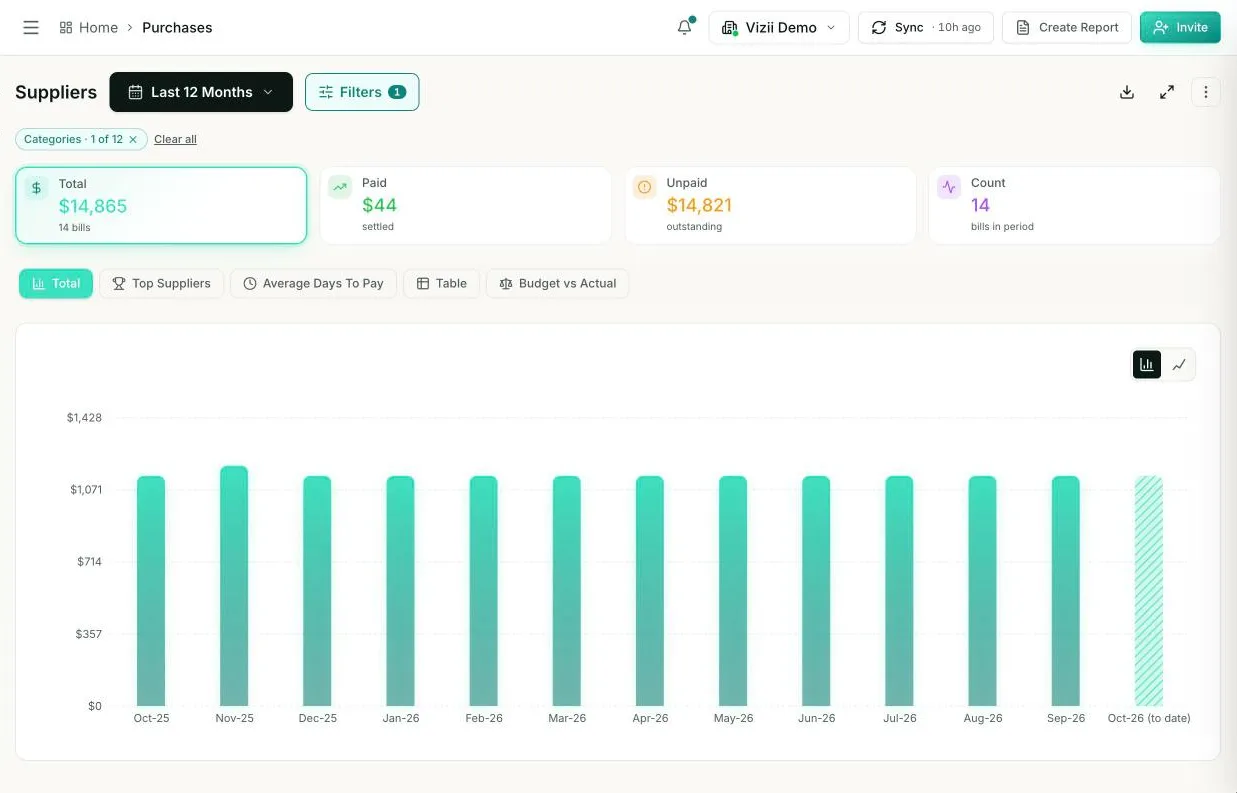
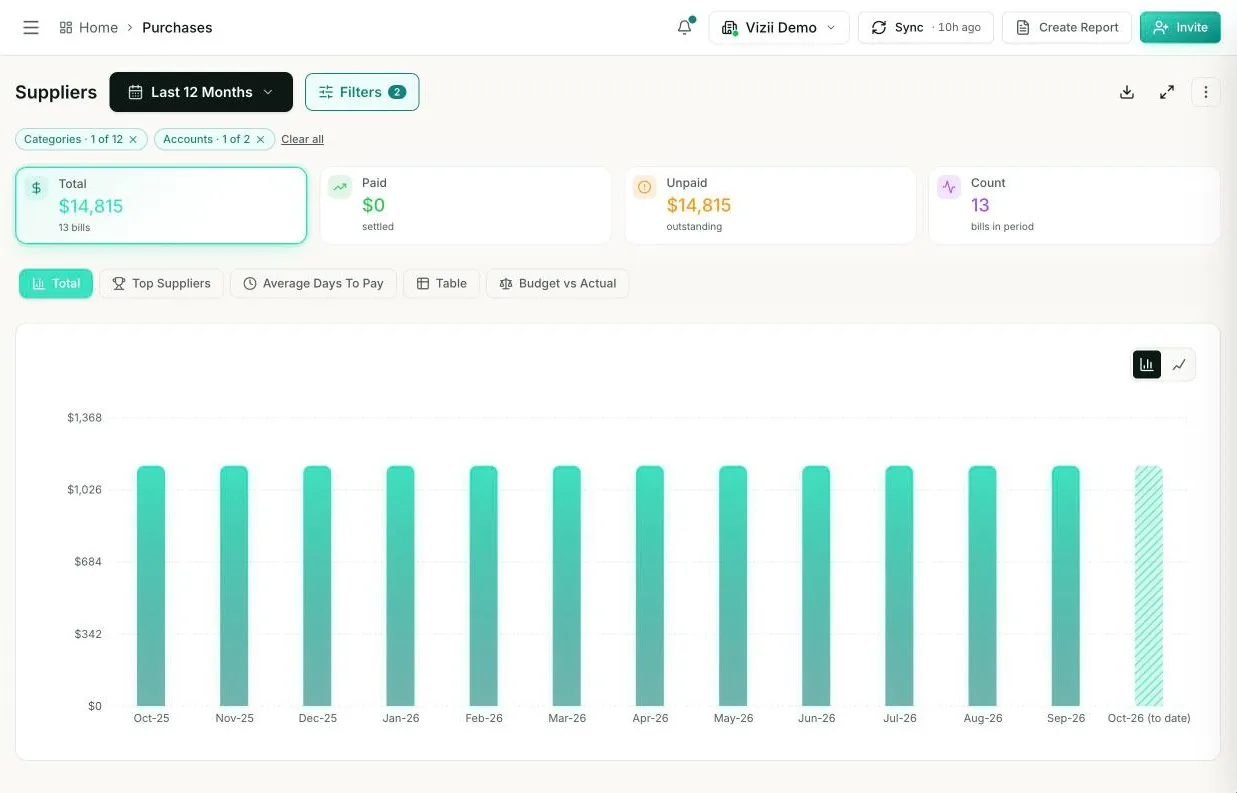
Pick a person to see exactly what they'd get, scoped by account or by Xero tracking category. Read-only, with no Xero login.
Access rule
- Scope
- Full access
Read-only · Email-verified · No Xero login
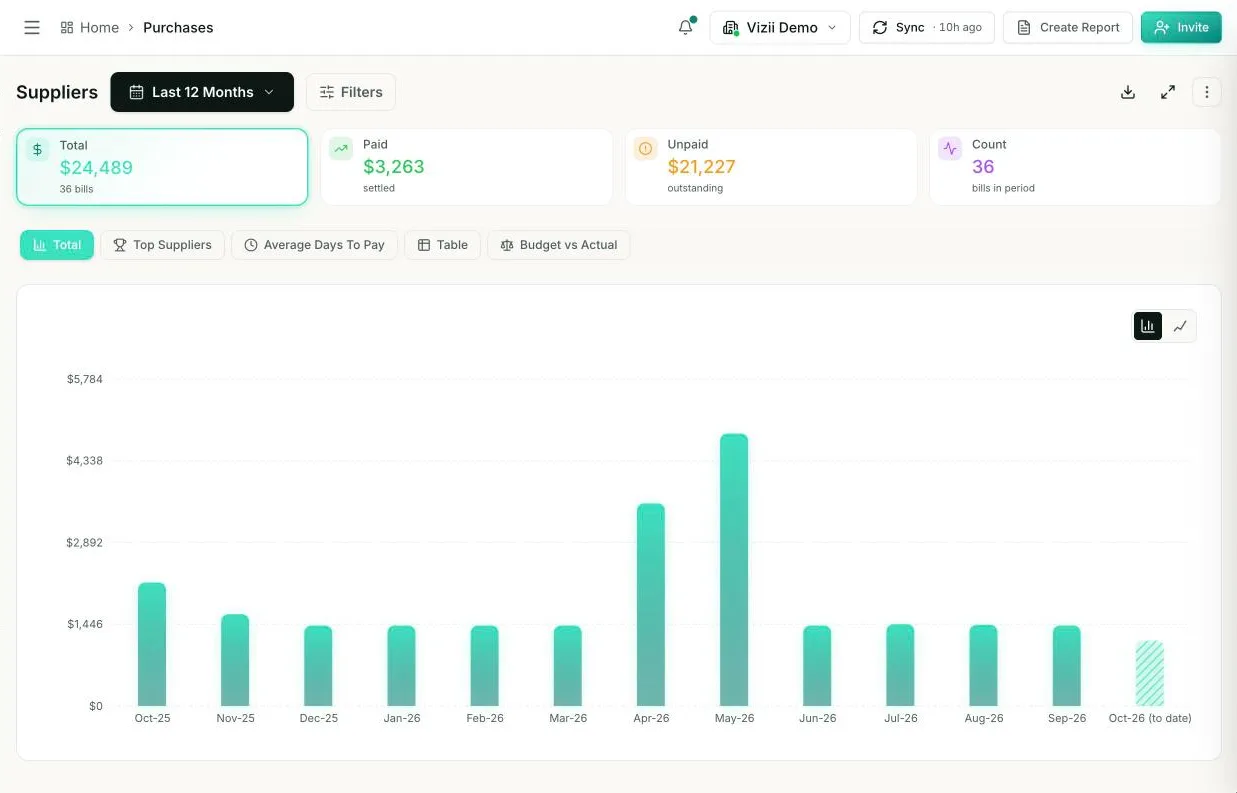 Full access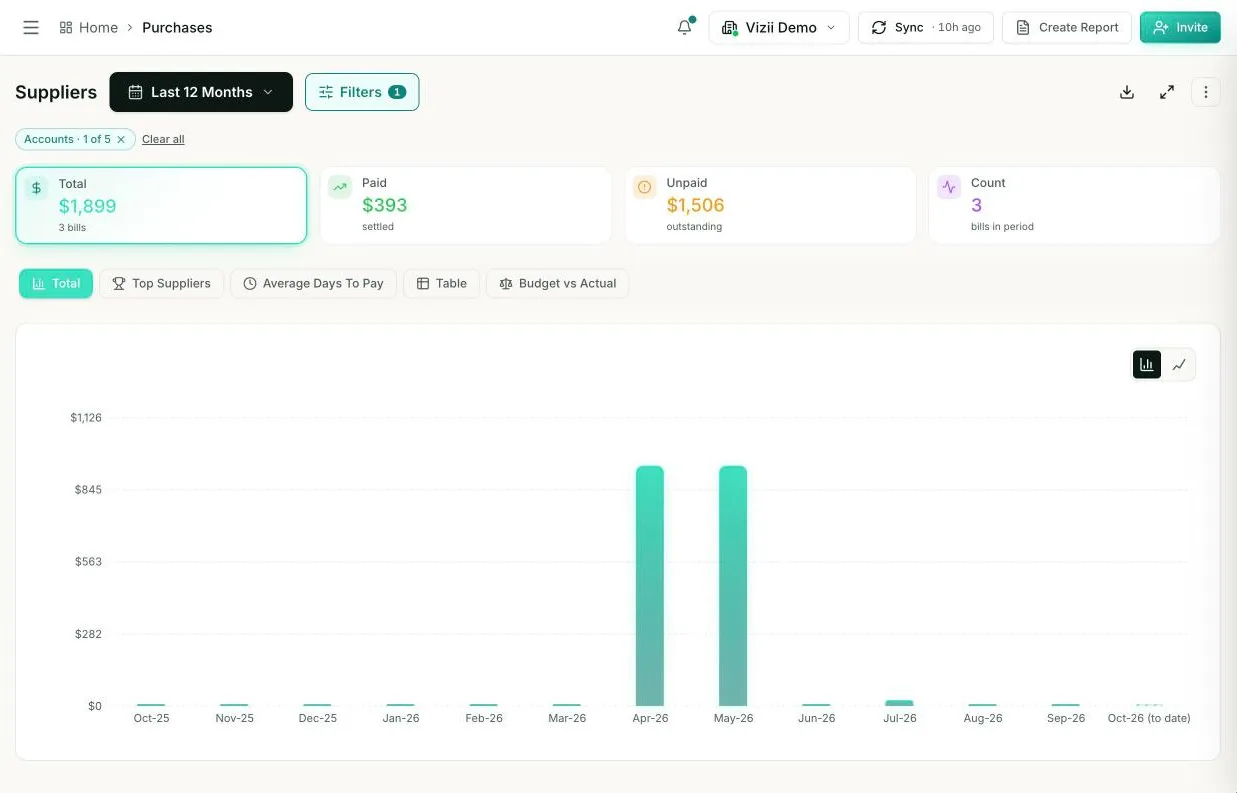
Financial Sharing Should Not Mean Sending Static Files or Opening the Entire Accounting System
Finance teams often need to give managers, employees or external stakeholders visibility into specific numbers. Traditional sharing methods create extra work, outdated information or unnecessary exposure.
Spreadsheets become outdated
Exported reports stop reflecting the latest transactions and create multiple versions of the same financial information.
Full accounting access reveals too much
Giving someone access to Xero can expose accounts, contacts and financial details beyond their responsibilities.
Manual reporting adds repeated work
Finance teams must prepare, update and resend separate reports whenever stakeholders need current information.
Generic dashboards lack proper boundaries
A shared dashboard is not truly controlled if every recipient can see the same company-wide financial view.
Decide Exactly What Each Person Can See
Vizii lets finance teams create focused dashboard access around each stakeholder's responsibilities. Instead of sharing the same report with everyone, you control which financial data appears in every read-only view.
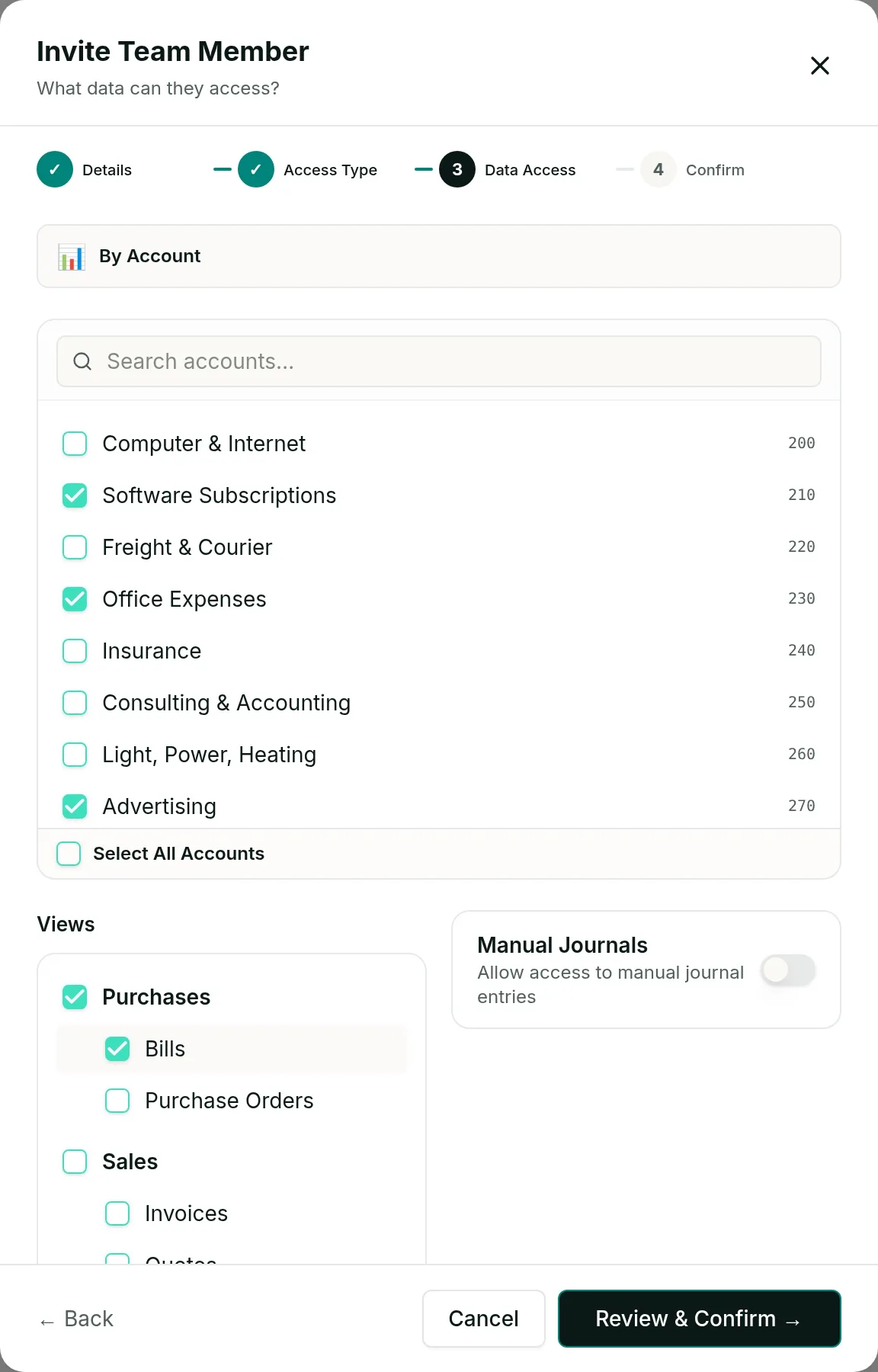
Restrict access by account
Select the income, expense, asset or liability accounts relevant to the recipient while keeping all other accounts hidden.
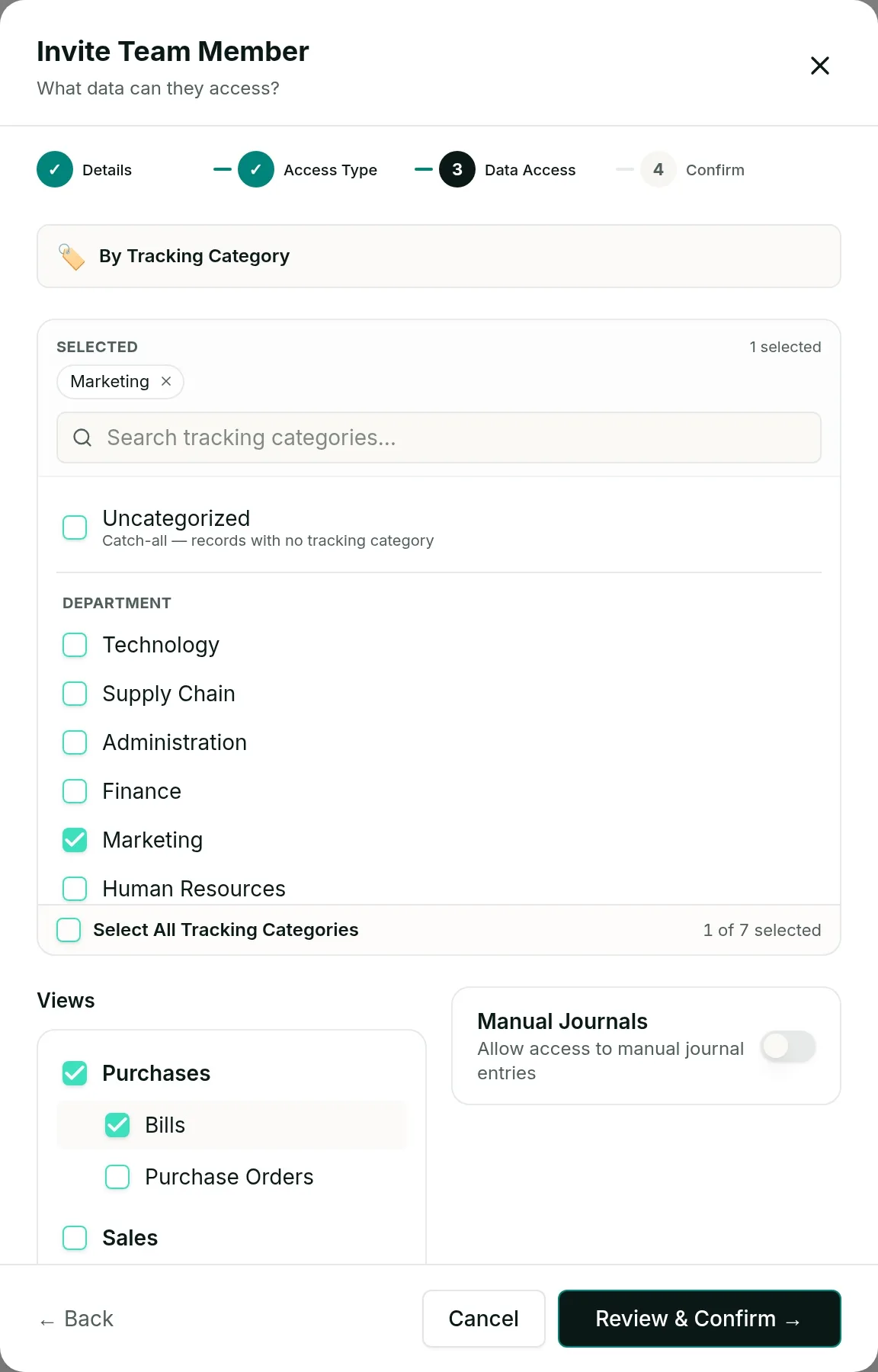
Filter by tracking category
Share financial information connected to a selected department, location, project or other structure already represented by a Xero tracking category.
Scope by customer
Allow a stakeholder to view financial information associated with selected customers without revealing unrelated company data.
Scope by supplier
Provide visibility into selected supplier activity while keeping the remaining purchasing information private.
Combine scope with read-only access
Recipients can filter and explore the information assigned to them through a controlled, read-only dashboard without changing the underlying accounting data.
Invite the Right Person to the Right Financial View
Vizii gives each recipient a secure, email-verified route to their assigned dashboard — without creating a traditional password or sharing accounting-system credentials.
Select the relevant data
Choose the accounts, tracking categories, customers or suppliers the recipient is allowed to view.
Send an email invitation
Invite the stakeholder using the email address connected to their permissions.
Verify access with a magic link
When the recipient opens the dashboard, Vizii sends a one-time magic link to their invited email address.
Open the read-only dashboard
The verified recipient can access and explore only their assigned financial view without logging in to Xero or changing the underlying data.
Important clarification
Access is not an anonymous public link. It is tied to the invited person's email address and the permissions assigned by the finance team.
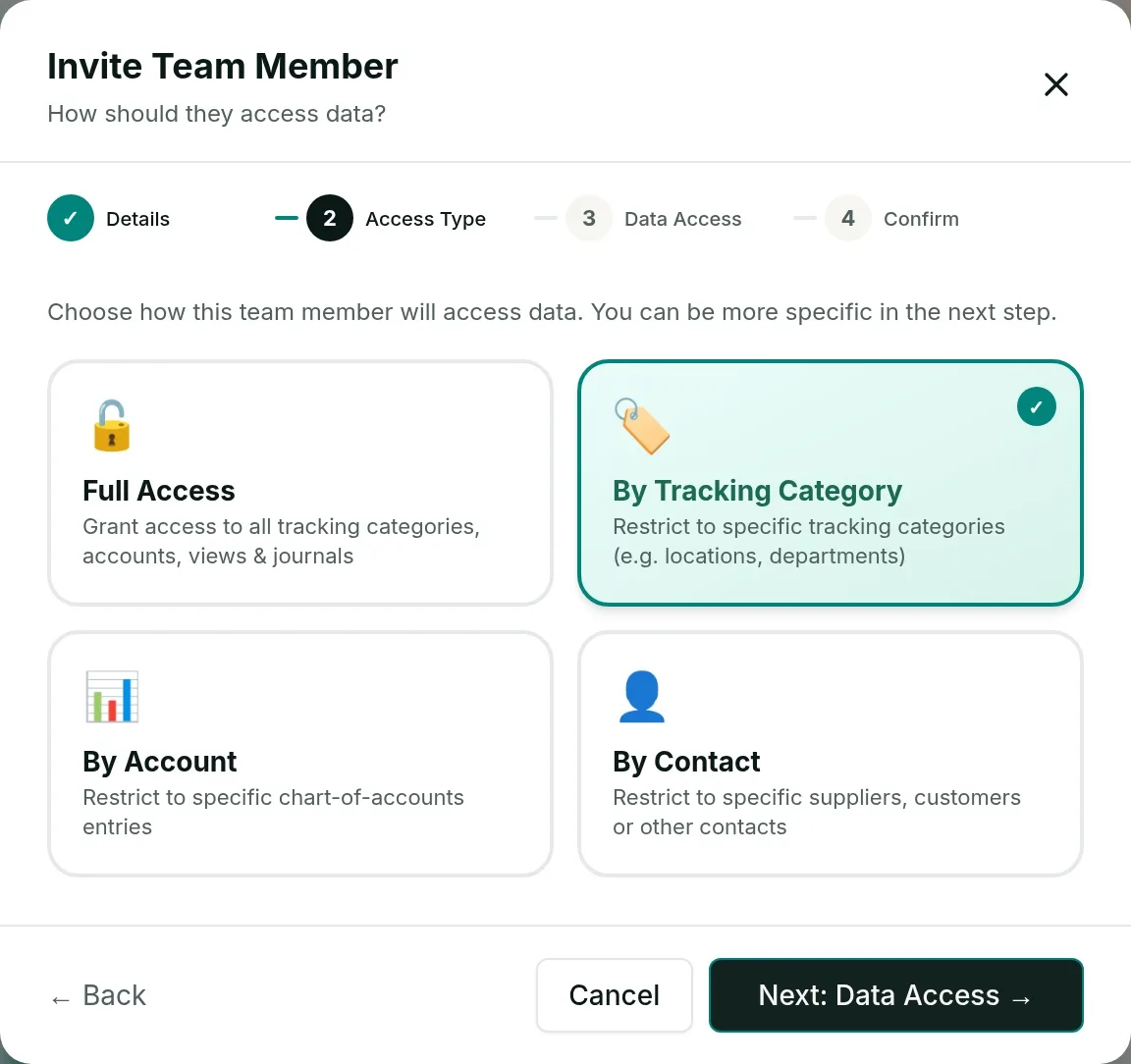
Email verified | Passwordless access | Scoped permissions | Read-only visibility
Give Every Decision-Maker a Financial View That Matches Their Role
Vizii helps finance teams replace generic company-wide reports with focused dashboard views built around what each stakeholder is responsible for monitoring.
Department and budget managers
Share the relevant expense accounts and Budget vs Actual performance without revealing other departments or the complete company financials.
Sales and account managers
Provide visibility into selected customer activity while keeping unrelated customers, suppliers and accounts hidden.
Procurement managers
Share financial information linked to the suppliers they manage without exposing the wider purchasing position.
Business owners and directors
Give leadership a clear view of business performance without requiring them to navigate Xero reports or accounting terminology.
Clients of accountants and bookkeepers
Provide clients with clear, read-only dashboard access while the accountant retains control of the connected financial data.
External stakeholders
Share only the financial information relevant to an adviser, partner or other approved recipient without sending a complete spreadsheet or granting accounting access.
Keep Shared Financial Dashboards Current Without Resending Reports
A secure report is only useful when its information remains current. Sync the latest Xero data in Vizii and every scoped view updates with it, so finance teams do not need to rebuild and resend static files.
Connect the data once
After connecting Xero, select Sync to pull the available financial data into Vizii. Use Sync again whenever you need the latest available transactions.
Sync when the numbers change
Sync the latest Xero data with one click — no exports or uploads.
Maintain the assigned scope
Each recipient continues to see only the accounts, tracking categories, customers or suppliers included in their permissions.
Reduce repeated report preparation
Finance teams can provide ongoing visibility without exporting, updating and distributing another spreadsheet whenever the numbers change.
Replace Broad Access and Static Reports With Controlled Financial Visibility
Vizii gives finance teams a practical middle layer between exporting financial reports and granting stakeholders direct access to the accounting platform.
| Sharing method | Main limitation | Vizii approach |
|---|---|---|
| Emailing spreadsheets | Files become outdated and can be forwarded | Email-verified dashboard access |
| Sending static reports | Recipients cannot explore the numbers | Interactive filters and drill-downs |
| Granting Xero access | May expose more information than required | Access restricted to selected data |
| One dashboard for everyone | Every recipient sees the same view | Individual stakeholder permissions |
| Manual report preparation | Finance repeatedly updates files | Views you refresh in one click |
| Editable files | Data can be changed or duplicated | Controlled, read-only access |
Finance keeps control of the data. Every stakeholder gets the visibility required for their role.
Questions About Sharing Financial Data With Vizii
Yes. Access can be restricted by account, tracking category, customer or supplier, allowing each recipient to see only the financial information relevant to them.
Yes. Vizii can scope access directly by specific accounts, so tracking categories are not required for account-level permissions.
No. Recipients access their assigned Vizii dashboard through their invited email address without needing a Xero login.
No. Access is tied to the recipient's invited email address. When verification is required, Vizii sends a one-time magic link to that email.
No. Vizii uses passwordless email verification, so recipients do not need to create or remember a traditional password.
No. Shared dashboard access is read-only and does not allow recipients to edit the underlying accounting data.
No. Their dashboard view is limited to the accounts, tracking categories, customers or suppliers assigned by the finance team.
Sync the latest Xero data with one click and every shared view updates with it, each recipient still seeing only their assigned scope. There is no spreadsheet to re-export and resend.
Give Every Stakeholder the Right Financial View — Without Exposing the Rest
Connect Xero to Vizii and create secure, read-only dashboard access scoped by account, tracking category, customer or supplier.
Email-verified access | Granular permissions | Read-only views | No Xero login required