
Share a Profit & Loss by location or department from Xero
Works with Xero
If you run more than one site, the company Profit & Loss is the wrong report for almost everybody who needs one. The owner wants the whole picture. A branch manager wants their branch: their sales, the costs they control, and what is left. Xero can report by tracking category, but it cannot give that manager a login limited to their own one — every Xero user role covers the whole organisation.
So the job usually lands on a spreadsheet: export, filter, delete the other sites, check it, email it. Once per site, every month, and out of date the moment a journal is posted.
What tracking categories are, and where they stop
A tracking category is a label on a transaction
In Xero you create a category — Site, Location, Branch, Department, whatever you call it — and give it an option per place. Every bill, invoice, bank transaction and journal line can then carry one. Xero allows two tracking categories at once, so you can tag by Site and by Channel on the same transaction.
Xero reports on them, but only to people who can see everything
Xero's own Profit and Loss can be filtered or compared by tracking category, which is genuinely useful to the person running it. The limit is who may run it: Xero's roles — Read only, Invoice only, Standard, Adviser — all apply to the whole organisation.
There is no Xero role that means 'this site only'
You cannot restrict a Xero user to one tracking option. Users have asked for it on Xero's product ideas board since 2022 and at the time of writing it has not been delivered, so every workaround is either a spreadsheet or a separate Xero organisation per site.
A separate organisation per site is a heavy fix
It gives each manager their own login, and it also multiplies your subscriptions, your bank feeds and your year-end work, and it breaks the consolidated view you presumably wanted in the first place.
How to do it in Vizii
- 1
Connect Xero and sync
Authorise the connection and select Sync. Your tracking categories and their options come through with the data, exactly as they are set up in Xero.
- 2
Build the P&L layout once
Choose the sections and which account codes sit in each: Sales, Cost of Sales, Gross Profit, your operating cost sections, then the bottom line. Start from an empty layout or the hospitality preset, and rename every label to match how you already report.
- 3
Decide what each manager is accountable for
Include the lines they influence — sales, cost of sales, wages, consumables, utilities, local marketing. Leave out the ones they cannot change: rent, royalties, head-office recharges, interest, depreciation. This is a management decision, and it is the one that decides whether the report gets used.
- 4
Check it against Xero before anybody sees it
Run the report for last month with no filter and reconcile the totals to Xero's own Profit and Loss. Then use Preview as to look at exactly what one manager will get.
- 5
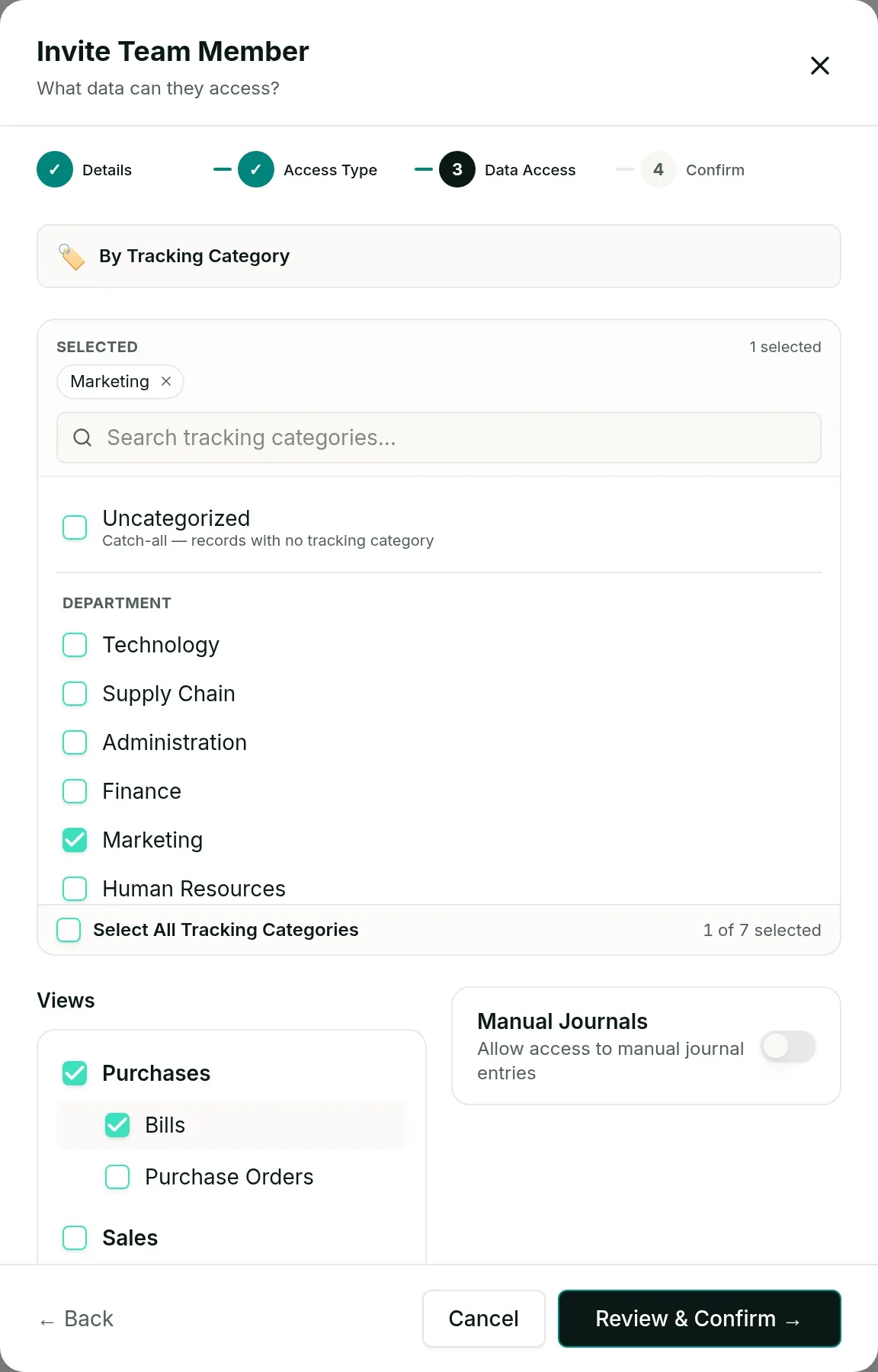
Invite each manager to their own option
Scope them to their tracking category option and give them the Profit & Loss permission, which is its own permission — so they can have the report without bills, invoices or anything else. They never get a Xero or QuickBooks login, and they do not use up a seat in either.
What a manager opens
An illustration of the shape of the report, not real figures from any customer.
| Period | The selected month, and the year to date beside it |
|---|---|
| Every line | Amount, and % of sales |
| Scope | Their tracking option only — no other site's figures |
| Year to date | Follows the financial year end set in Xero |
Two details worth knowing before you set this up. Tagging quality decides everything: a report can only be as good as the coding underneath it, and payroll posted as a manual journal needs its lines tagged or the wage cost lands nowhere. And if a bill is split across two sites, each manager sees only their own line's share.
The Profit & Loss by department report is built from Xero tracking categories, so it is Xero only today. QuickBooks support is planned.
Questions
Not in Xero. Xero's user roles — Read only, Invoice only, Standard and Adviser — all apply to the whole organisation, so a user who can see the Profit and Loss can see all of it. Vizii scopes the view instead of the login: the manager is a viewer in Vizii and never gets a Xero login at all.
They are not silently dropped. Untagged records group under an Uncategorised option, which you can choose to include in someone's scope or leave out. Seeing how large it is usually prompts a tidy-up of the coding.
No. Every total, chart and list is calculated only from records inside their scope. Other sites' figures, head-office costs and the balance sheet are not theirs to open.
Access follows the tracking option itself rather than its name, so a rename does not change who can see what.
Partly, today. You can scope a viewer to QuickBooks classes and locations and they will see sales and bills for their area only. The Profit & Loss by department report itself is built from Xero tracking categories and is Xero only for now; QuickBooks support is planned.
See it on your own numbers
Accounting firms are billed per client company with unlimited users. Running a single business? The standard plans start with a free trial.