
Share Xero reports without giving anyone access to Xero
Works with Xero and QuickBooks
Sooner or later somebody who should not have a Xero login needs a number from Xero. A department head, an investor, a lender checking a covenant, a client's operations manager. The usual answers are a PDF, a spreadsheet, or a Xero user account — and all three are uncomfortable for the same reason: they are all-or-nothing.
A file is a snapshot that can be forwarded. A login is the whole organisation. What is missing is a way to give one person one slice of the numbers, live, and nothing else.
Why the three usual answers disappoint
A PDF is out of date before it is read
It is also unanswerable: the first follow-up question needs a new export, so the monthly pack quietly becomes a monthly correspondence.
A spreadsheet travels
Once it leaves, you no longer control who opens it. A misfiltered export is worse — it shows somebody a part of the business that was never theirs to see, and no amount of fixing it afterwards unsees it.
A ledger login is too much
Xero's roles apply to the whole organisation, and QuickBooks Online cannot restrict a user to a class or location either. A read-only login is still a login to everything, and on most plans it also costs a seat.
Nobody wants to train an investor in Xero
Even where a login would be safe, the accounting system is not built for somebody who reads numbers twice a quarter and has never seen a chart of accounts.
Scope the view instead of the login
- 1
Connect Xero or QuickBooks once
Authorise through the platform's own sign-in and select Sync to pull the latest data. Vizii never writes anything back to your accounting software.
- 2
Invite each person as a viewer
Access is read-only and tied to the email address you invite. Viewers sign in with a one-time link sent to the address you invited, so a dashboard is never open to whoever holds the URL.
- 3
Choose what their view contains
Scope by account, by tracking category (Xero) or by class and location (QuickBooks), by customer or by supplier — individually or combined. Scoping by two dimensions narrows to records carrying both.
- 4
Choose which views they get
Sales, bills, or both. On Xero you can also grant the Profit & Loss by department report, which is its own permission — so a manager can have their departmental P&L without bills or invoices.
- 5
Check it before you send it
Use Preview as to open the account exactly as that person will see it. It is a much better check than re-reading the permission list.
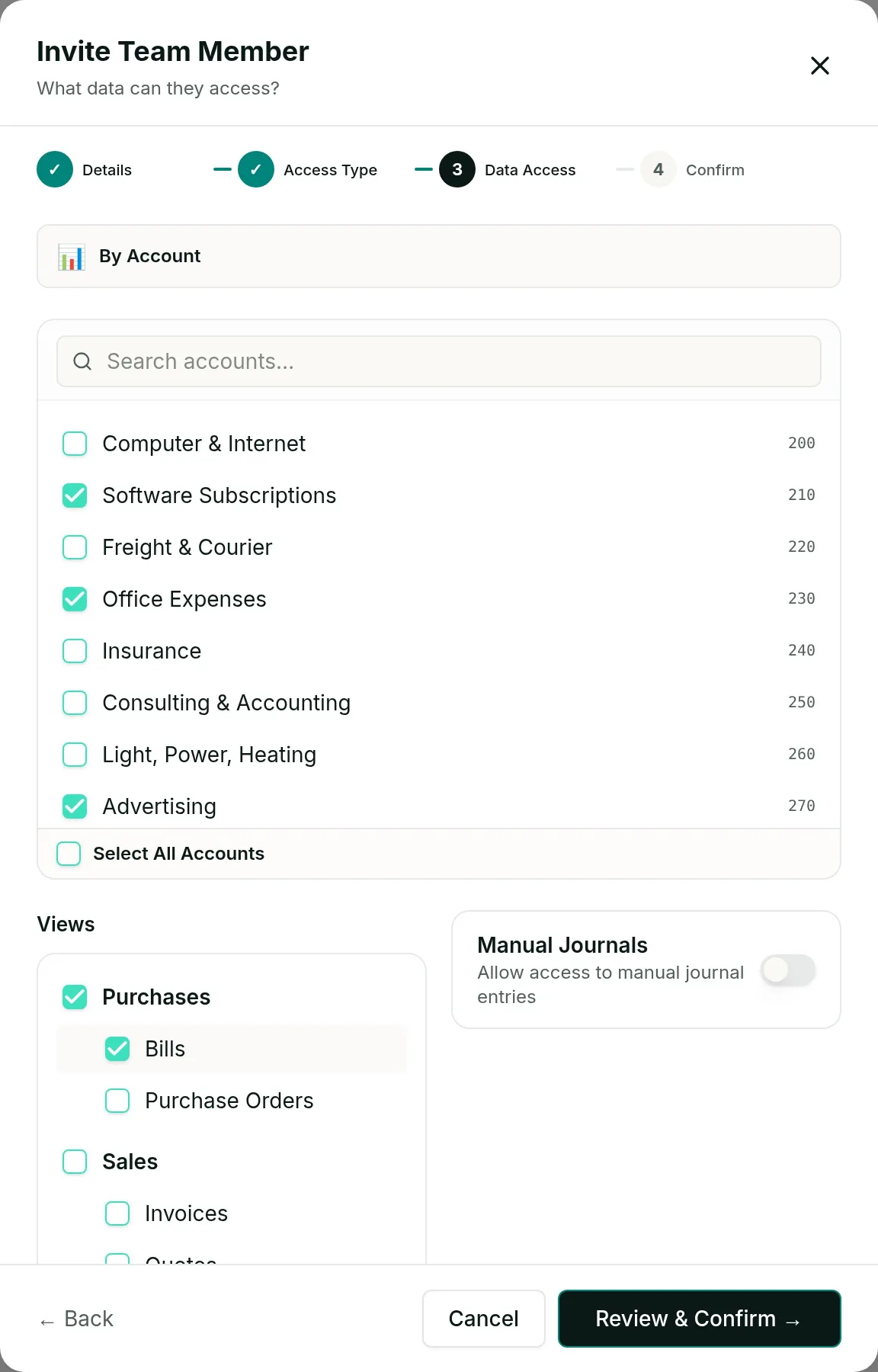
Two properties matter more than the convenience. Access is granted per company, so somebody invited to one company cannot reach another. And access follows the thing itself rather than its name — rename a tracking option or an account and the same people see the same data.
They never get a Xero or QuickBooks login, and they do not use up a seat in either. For an accounting firm that is the difference between a client's manager being a line on an invoice and being free.
Questions
No. They verify the email address you invited with a one-time link and open their view in Vizii. They never reach the books and never use a seat in your accounting subscription.
Yes. A viewer in Vizii cannot change anything, and Vizii does not write back to Xero or QuickBooks at all.
Yes. Scope them to the tracking category option in Xero, or the class or location in QuickBooks, that is theirs. Every total, chart and list they open is calculated from records in that scope only.
Remove the person and the link stops working. Because access is tied to the invited email address rather than to a shared URL, there is no circulating document still out there.
Tables in Vizii can be exported to PDF, CSV or Excel. If somebody should not have a file at all, the thing to scope is what they can open — the export only ever contains what their scope already shows them.
See it on your own numbers
Accounting firms are billed per client company with unlimited users. Running a single business? The standard plans start with a free trial.